In this guide you will know exactly which steps to follow in order to know if you Starstim has the 4Hz artifact and should be repaired.
1. Open the latest version of NIC.
2. Turn on your Starstim and connect via USB or Wifi to it.
3. Create a New protocol (Add New Protocol).
4. Name this Protocol: 4Hz Test.
5. Set the Duration of 5 minutes.
6. Set Positions P8, T8, F8, F4, C4, P4, FP1, FP2 as EEG channels, they should be Channels 1 to 8.
7. Click Finish and Save.
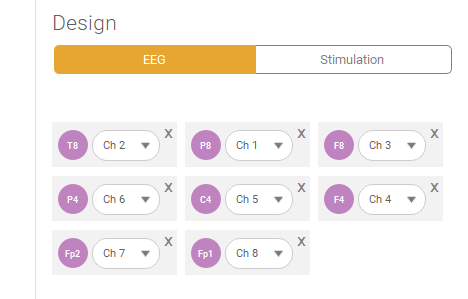
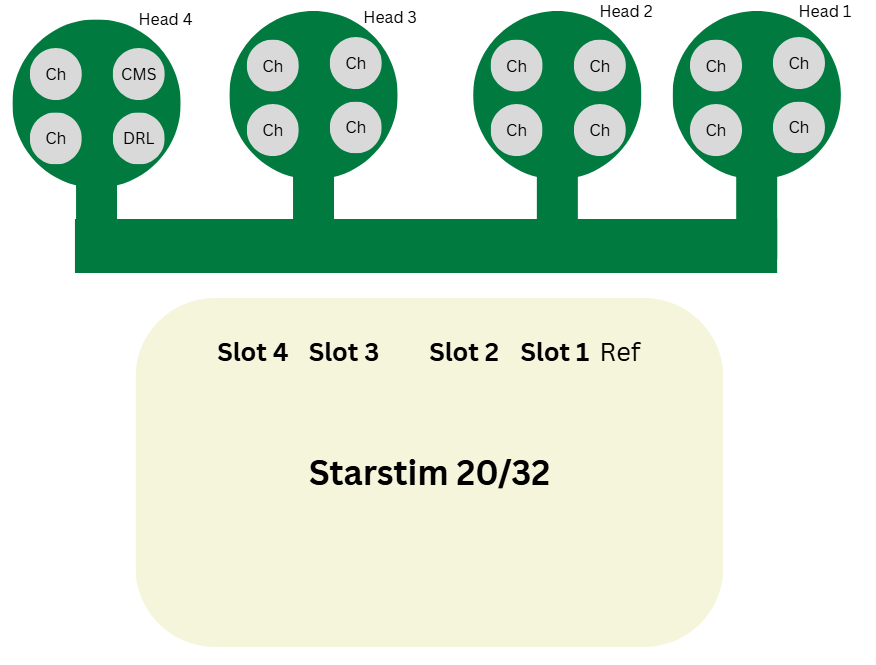
8. Connect the CMS cable to the CMS pin and DRL to the DRL pin from the Testboard and the channels of Slot 1 to any Ch pins according to the following Image:
9. Load and Run the Protocol.
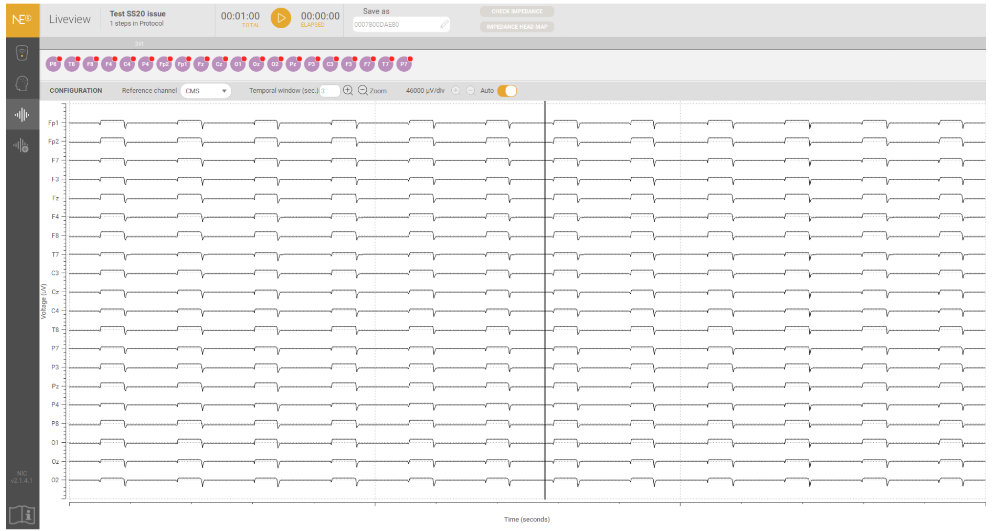
If you see artifacts like the ones on the image below, your device is not working as it should and it will be priorized for repair.
Please answer the email to support@neuroelectrics.com providing the following details:
Company / Institution Name / Full Name:
Contact Person:
Country:
City:
Postal Code:
Address:
Address Line 2 (optional):
Phone:
Email:
Measures and weight of the box where your device will be shipped.
Also, please let us know if you require a Loan device while we repair
Was this article helpful?
That’s Great!
Thank you for your feedback
Sorry! We couldn't be helpful
Thank you for your feedback
Feedback sent
We appreciate your effort and will try to fix the article