This is not recommended as the noise introduced by the stimulation has higher values than the brain´s signals.
Yet, if you want to do some tests, follow these guidelines:
Connect via NIC2:
Launch NIC2 on your PC.
Connect to the device via Wi-Fi or USB.
Click “Use this Device” once it appears.
Design a Protocol:
In NIC2, go to the Protocol section.
Create a multi-step protocol where you:
Assign some channels to EEG
Assign others to tES
Define timing, current (up to 2 mA per channel), ramp-up/down, etc.
Important: The net current in the stimulation montage must be zero (for safety and to allow NIC2 to save the protocol).
Check Impedances:
Run the impedance check before starting.
Ensure all values are in the acceptable range (typically <10 kΩ).
Run the Session:
Load your protocol.
Press “Start Protocol” in NIC2.
EEG without Stimulation noise
It is important to define how you plan to stimulate, particularly the frequency you will use. For tDCS, the stimulation frequency is always 0 Hz. For tACS, however, the frequency is determined by the user.
When connecting the device in NIC2, you can set a default visualization filter by selecting the frequency range you want to display
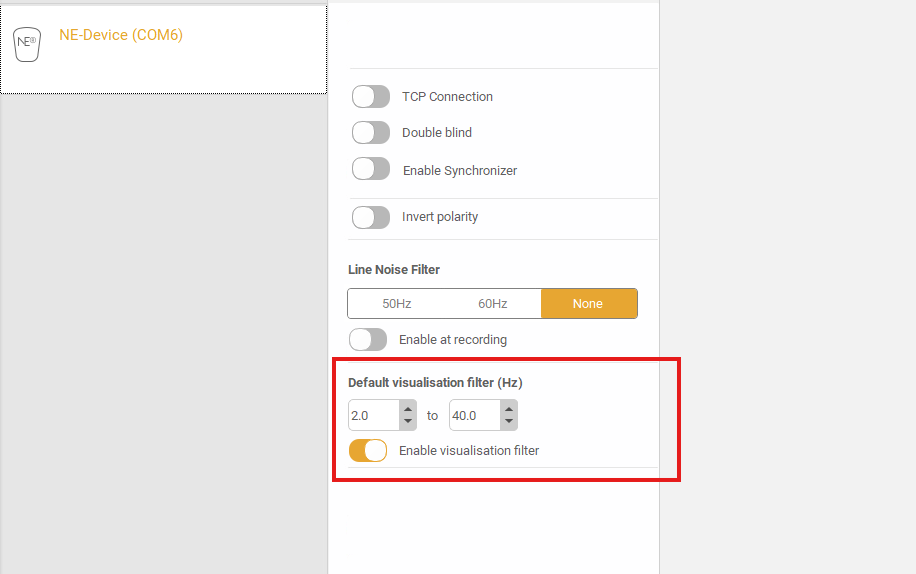
Make sure this range includes the frequencies relevant to EEG activity. By doing so, you prevent the stimulation signal from contaminating the EEG recording.
Simultaneous Stimulation and EEG
Performing EEG recording while performing brain stimulation is an open challenge due to stimulation artifacts.
For this reason, the two alternatives proposed are:
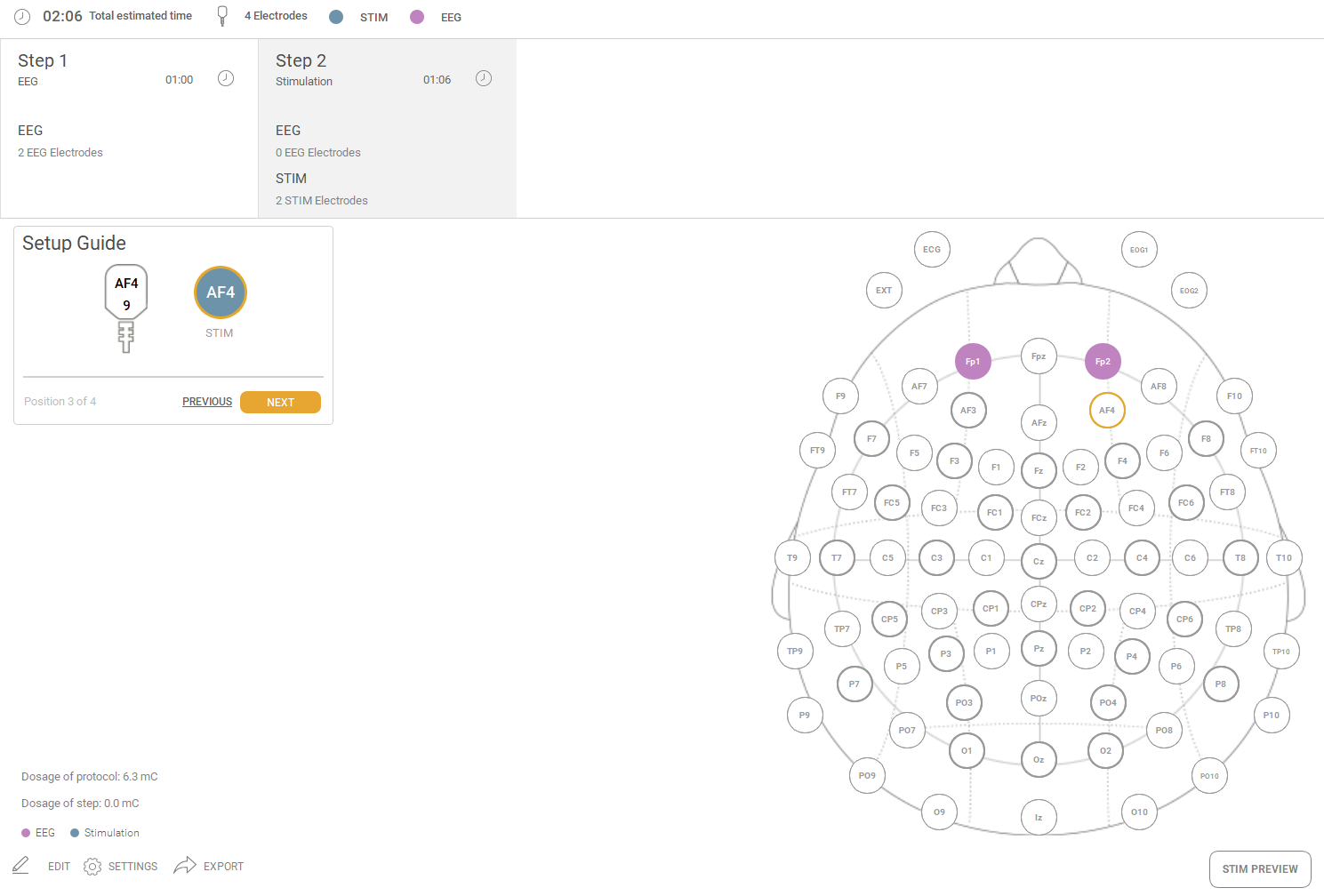
-Multi-step protocol: Stimulation and EEG are performed in two different steps, creating a multi-step protocol.
-Data analysis: In the post-processing analysis, applying any filter that is currently under evaluation to attempt to remove stimulation-specific signal components, leaving physiological signal components only.
Was this article helpful?
That’s Great!
Thank you for your feedback
Sorry! We couldn't be helpful
Thank you for your feedback
Feedback sent
We appreciate your effort and will try to fix the article